
Kastriot Fetahaj
Cybersecurity Expert | Ptera Technologies
Phishing scams are becoming more sophisticated, with cybercriminals now using and exploiting diacritic characters to trick users into visiting fraudulent websites. A new type of attack, known as a homograph attack, involves creating URLs that look nearly identical to legitimate domains.
In this article, we’ll explore how diacritic-based phishing works, how modern browsers handle these deceptive URLs, and provide actionable insights you can take to protect your business and personal information to avoid becoming a target of these scams.
As cybercriminals continue to refine their tactics, one particularly deceptive method has gained attention: the homograph attack.
A homograph attack exploits visual similarities between different characters to create deceptive URLs. Diacritic marks, such as accents (e.g., á, é, í) or umlauts (ü), allow attackers to alter legitimate domain names in ways that are easy to overlook.
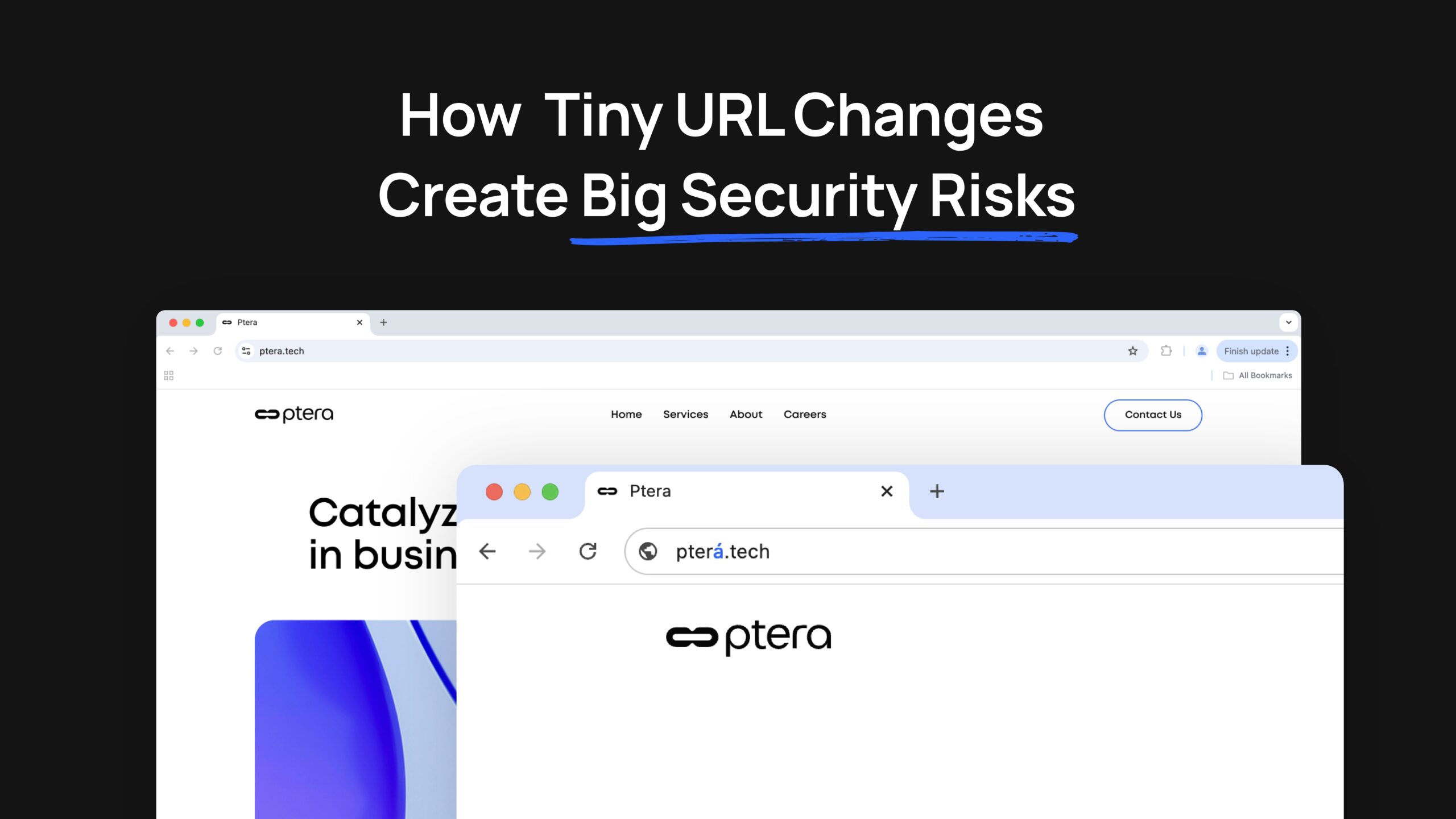
For instance, a domain like “pterá.tech” might look almost identical to “ptera.tech,” but a single diacritic character difference might lead to a completely different — and potentially malicious — website.
Image 1: A side-by-side comparison of URLs showing the authentic “ptera.tech” next to the phishing “pterá.tech” with the diacritic “á” highlighted.

Cybercriminals constantly innovate new ways to deceive users, and phishing tactics using special characters are no exception.
Here are a few real-world scenarios demonstrating how diacritic phishing is commonly used, specifically using ptera.tech as an example:
Image 2: Visual examples of the legitimate “ptera.tech” URL alongside subtly altered URLs like “pterá.tech” and “pterâ.tech” to illustrate the potential deception.

While attackers exploit accented characters for malicious purposes, modern browsers employ various techniques to mitigate these risks and alert users to suspicious activities.
Modern browsers support Internationalized Domain Names (IDNs) using Unicode, enabling URLs to contain accented or foreign text. While this feature enhances web accessibility, it also increases the risk of homograph attacks. Here’s how major browsers handle these tricky URLs:
1. Punycode Conversion
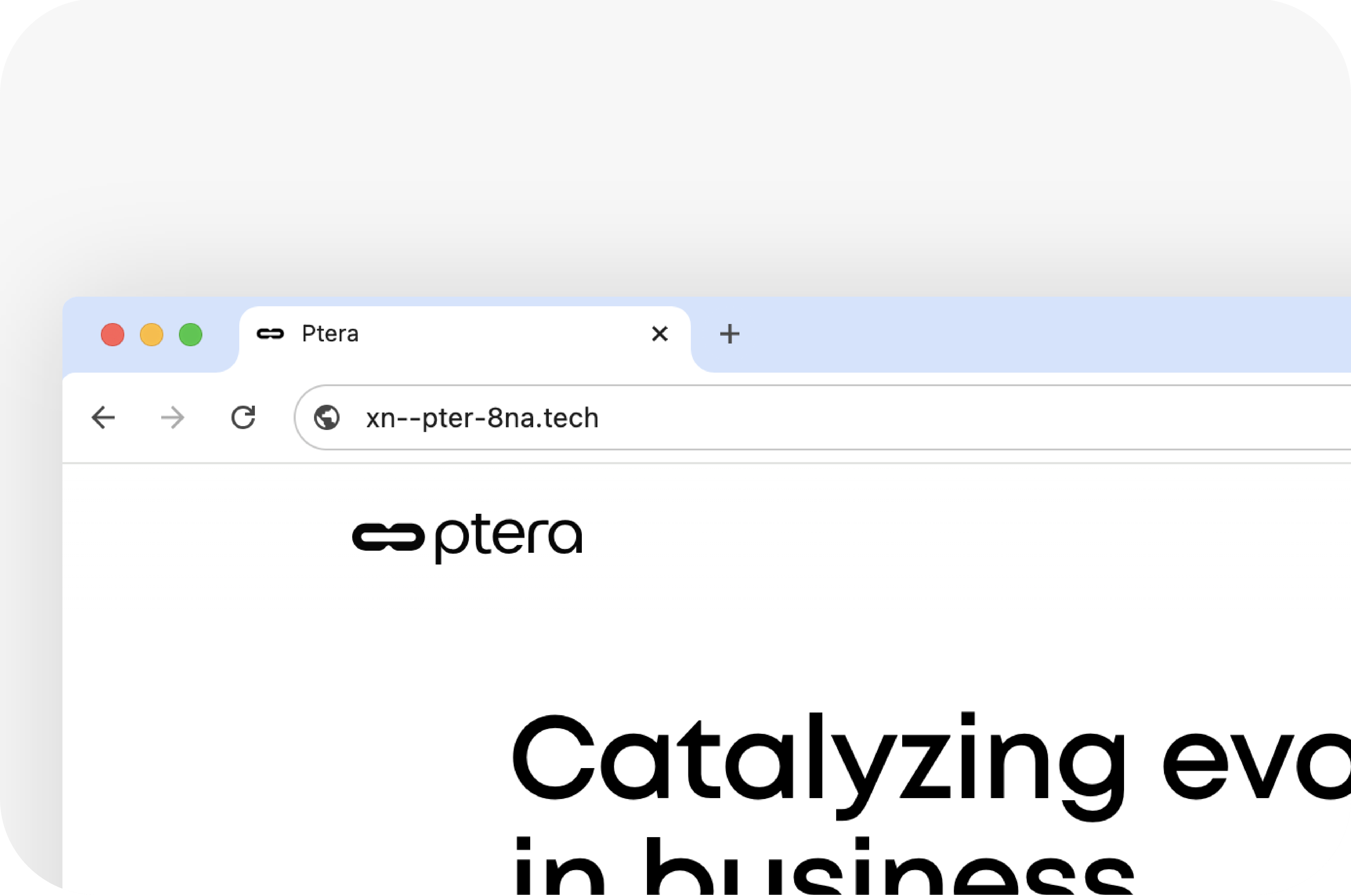
To help users recognize suspicious URLs, browsers like Google Chrome and Mozilla Firefox convert certain IDNs into Punycode — an ASCII representation that displays Unicode characters as text. For instance, instead of seeing “pterá.tech,” users might see “xn — pter-8na.tech,” indicating that the URL may not be trustworthy.
Image 3: Screenshot showing the Punycode representation of “pterá.tech” in the browser URL bar.
2. Warnings and Alerts
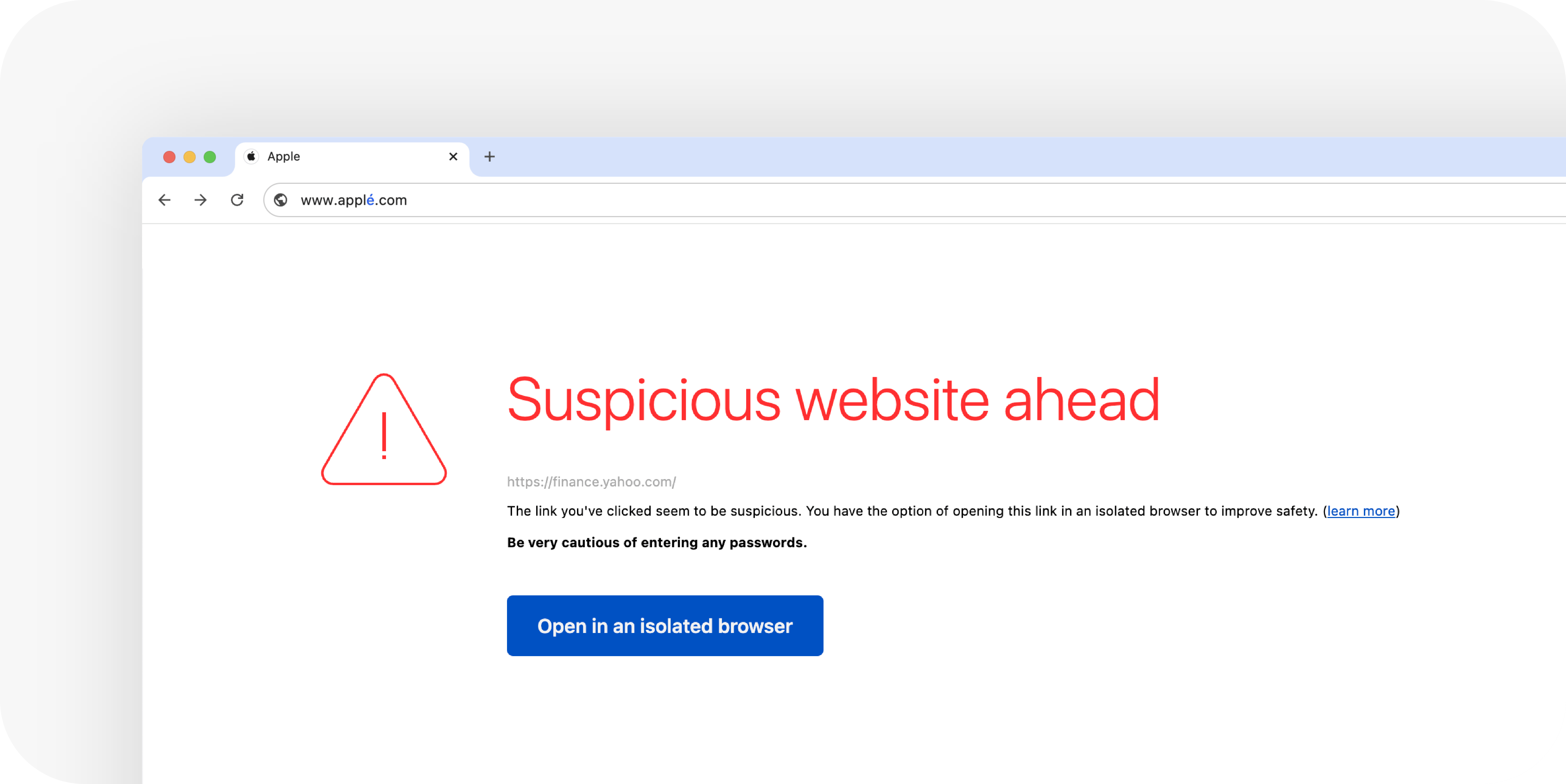
Some browsers have built-in mechanisms to flag URLs that combine symbols from different scripts, a common tactic in homograph attacks. In these cases, the browser may display the URL in ASCII format or issue a warning to indicate that the link might be insecure.
Image 4: Example of a browser warning message about a suspicious URL due to mixed character sets.
3. Browser Extensions for Extra Vigilance
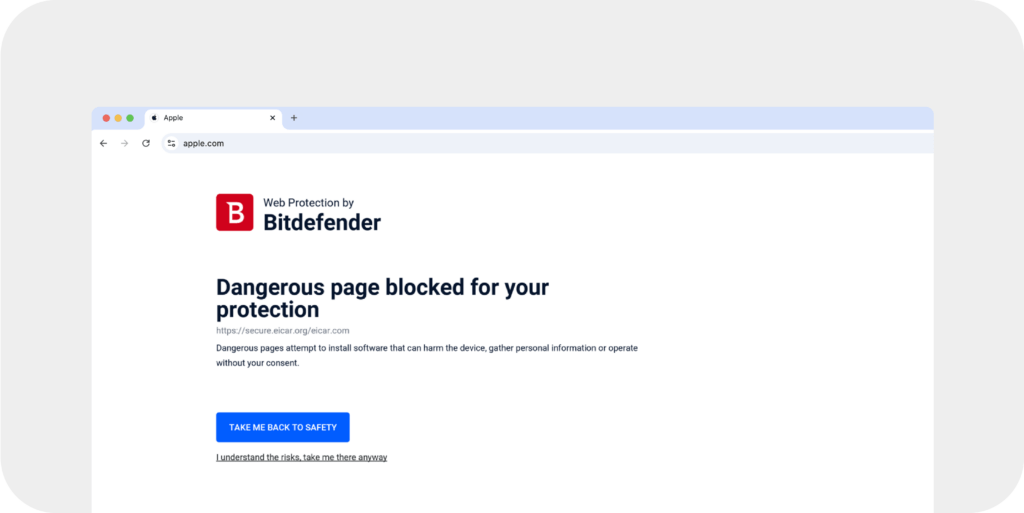
To enhance protection against diacritic-based phishing, users can install browser extensions that detect suspicious homograph URLs. These extensions analyze URLs in real time and alert users when these risky characters or spoofed domains are identified.
Image 5: Screenshot of a browser extension alert flagging a suspicious URL that contains diacritic characters.
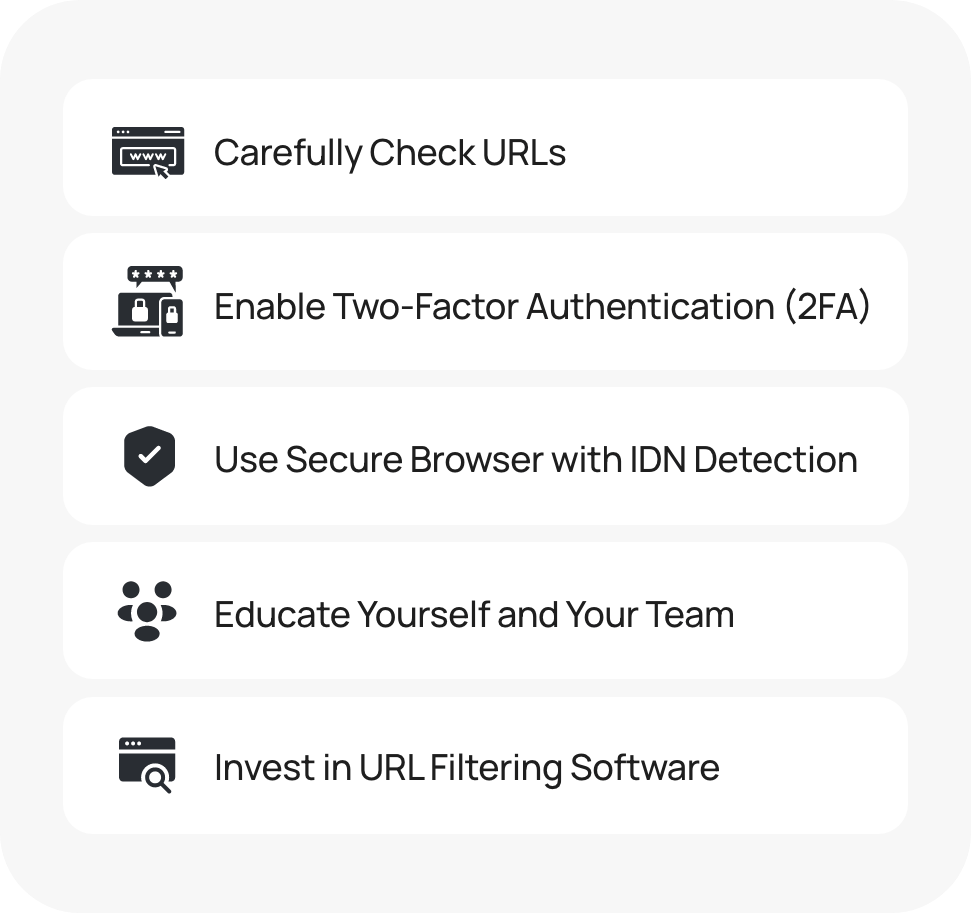
Here’s how you can safeguard against homograph phishing attacks and diacritic-based scams:
Image 6: Infographic summarizing tips for identifying and avoiding diacritic-based phishing attacks.
Understanding these phishing tactics and the tools available to counteract them is critical in staying ahead of cyber threats
Diacritic-based phishing scams represent a subtle yet powerful new approach in the world of cyberattacks. With homograph phishing, even a tiny diacritic mark can make the difference between security and vulnerability. By staying vigilant, understanding how browsers handle URLs with diacritic characters, and investing in robust security measures, you can safeguard yourself and your organization.
Stay informed, stay secure! 🔐
If you want to learn more about how to protect your business, visit us at https://ptera.tech/contact-us